Your locks are the first line of defense when it comes to safeguarding your business. Whether you have a retail shop, office, network closet, or storage area, having the right commercial door lock can stop a good deal of trouble in its tracks.
In this guide, we're going to break down the most popular commercial door lock types, ways to access them, and methods for managing credentials. If you are looking to improve your building's security, we'll help you make a wise decision.
What Is the Difference Between Commercial and Residential Door Locks?
Commercial door locks are built to withstand higher traffic and provide enhanced security features. Here are the key differences:
| Feature | Residential Locks | Commercial Locks |
|---|---|---|
| Durability | Lower traffic capacity | Heavy-duty usage |
| Security Ratings | Basic (Grade 3 or Not Rated is typical) | ANSI Grade 1 or 2 |
| Hardware Options | Limited: Cylindrical is typical. Some mortise for higher-end doors | Wide variety (mortise, mag, etc) |
| Installation Type | Easier – many are DIY | Often requires professional |
Types of Commercial Door Locks
ANSI Lock Grade
The American National Standards Institute (ANSI) has established grading standards for door hardware, with Grade 1 being the highest. These grades indicate how well a lock performs under rigorous testing for durability, security, and longevity. Testing for these standards is maintained by the Builders Hardware Manufacturers Association (https://buildershardware.com/ANSI-BHMA-Standards/Product-Grade-Levels)
| ANSI Grade | Cycle Test (Number of Uses) | Bolt Strength | Best Use |
|---|---|---|---|
| Grade 1 | 1,000,000+ cycles | Highest resistance (360 lb+) | High-security commercial & exterior doors |
| Grade 2 | 800,000 cycles | Moderate resistance (~250 lb) | Light commercial / heavy-duty residential |
| Grade 3 | 200,000 cycles | Basic resistance (~150 lb) | Standard residential |
There are several categories of commercial-grade door locks, each offering unique features suited for different business needs. Here are the most widely used types:
1. Cylindrical Locks
One of the most common lock types found in commercial buildings, cylindrical lever locks are relatively easy to install and operate.
Best for: Interior office doors, closets, and light-duty applications
Pros: Cost-effective, simple to use
Cons: Less secure than other options for exterior use; cylindrical locks are particularly susceptible to basic attacks like shimming or carding if not installed properly.
2. Mortise Locks
Mortise locks are a stronger, high-security option built into the door itself. They're commonly found in high-traffic areas.
Best for: Exterior doors, retail stores, main entrances
Pros: Durable, secure, and resistant to tampering
Cons: More expensive and requires skilled installation. While solid wood doors can be retrofitted to accept a mortise lock, metal doors must generally be built from the factory if a mortise lock is to be used.
3. Panic Bars (Crash Bars)
Panic bars—also known as crash bars—are required by code on many commercial doors, especially in buildings with high occupancy. These allow for fast, intuitive egress in an emergency. Many panic bar systems incorporate Concealed Vertical Rods (CVRs) or Surface Vertical Rods (SVRs) to improve door latching and security. Fire-rated panic bars are specifically designed to automatically latch when the door closes, while non-fire-rated models can often be held open (or "dogged down") during business hours for convenience.
Best for: Schools, hospitals, public buildings, emergency exits
Pros: Code-compliant for life safety, allows rapid and intuitive exit
Cons: More moving parts mean increased wear potential. Lower-quality models often use cheap internal components that are prone to rust, jamming, or mechanical failure.
4. Magnetic Locks (Maglocks)
These use powerful magnets to hold doors shut until power is cut (for exit) or authentication is provided.
Best for: Primary Entrances and secure internal entry points
Pros: Strong hold (typically 600+ lbs of holding force); integrates with standalone or networked access systems (see credential management below)
Cons: Requires electricity; fails open on power loss (requires backup battery and/or generator to maintain function in power outage); requires additional safety components such as motion detector and Exit Button to meet life safety requirements.
5. Electric Strike
An electric strike allows a door to be opened electronically, typically using a pin code or card reader. The electric strike is an electromechanical device that is cut into the frame of the door without modification to the door lock itself; this allows electronic access by using a credential but maintains mechanical egress by using the existing lever or crash bar.
Best for: Front desks, reception entries, or interior secure doors
Pros: Pairs with many lock types: Cylindrical, Mortise, and Crash Bars. Can be designed to Fail Open or Fail Secure on power loss. Fewer system components to maintain fire safety standards.
Cons: Requires power and installation expertise
Note: Fire-Rated Lock Compatibility
If your door is fire-rated, the lock must also meet fire safety standards. Using non-compliant hardware on a fire-rated door can void the fire certification of the entire assembly.
Required for: Fire-rated stairwells, corridor doors, or any door required by code to prevent fire spread
Pros: Maintains door's compliance with building and life safety codes
Cons: Limited lock styles are fire-rated, and they must be installed per manufacturer specifications
Locks for fire-rated doors are often labeled with their fire resistance rating (e.g., 20, 45, 60, or 90 minutes). Your fire door should have a UL rating label indicating its rated fire resistance. A locksmith can help you select the right lock that meets both fire and security requirements.
For help with MagLocks and Electric Strikes in the state of Florida, make sure to use a licensed provider as required by the Florida Department of Business & Professional Regulation (https://www.myfloridalicense.com/wl11.asp?mode=0&SID=). We work with our sister company, A to Z Security & Sound (https://www.atozsecurityandsound.com/services/commercial/) for all such projects!
Entry and Credential Management Methods
The method by which users access a door and how credentials are managed can greatly affect your business's security and operational control. Below are common methods categorized by entry type and credential management, along with audit capabilities for each:
1. Physical Keys
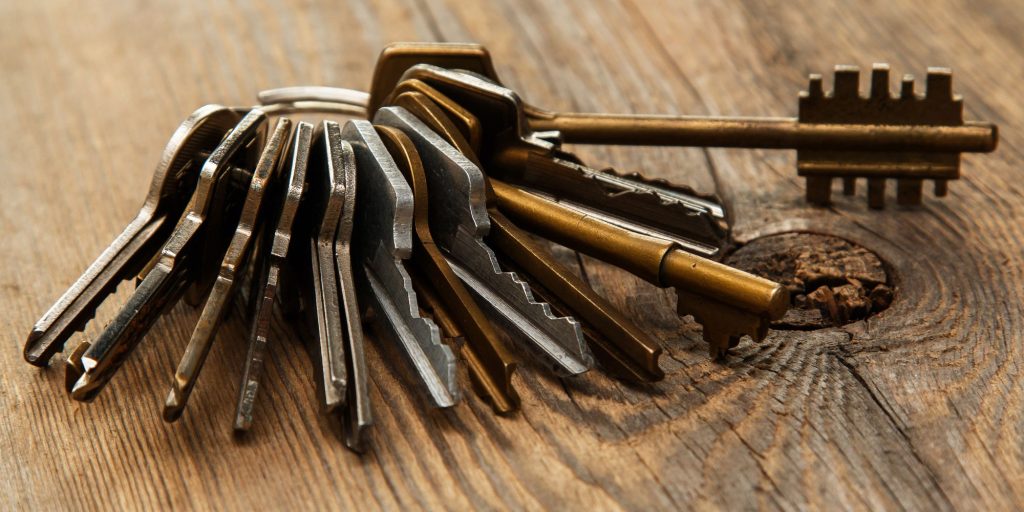
Credential Management: Physical keys are issued to authorized users. Tracking is manual and therefore limited, especially since most keys can be duplicated.
Note that marking a key "Do Not Duplicate" does not legally restrict someone from duplicating that key.
If you want to restrict key duplication by your employees or tenants, talk to us about a restricted keyway system such as Mul-T-Lock (https://www.mul-t-lock.com/us/en/products/key-platforms/classic).
Audit Capability: None
Pros: Simple and cost-effective
Cons: Lost keys may require rekeying the entire lock or building; no way to track entry history
2. PIN Code Entry
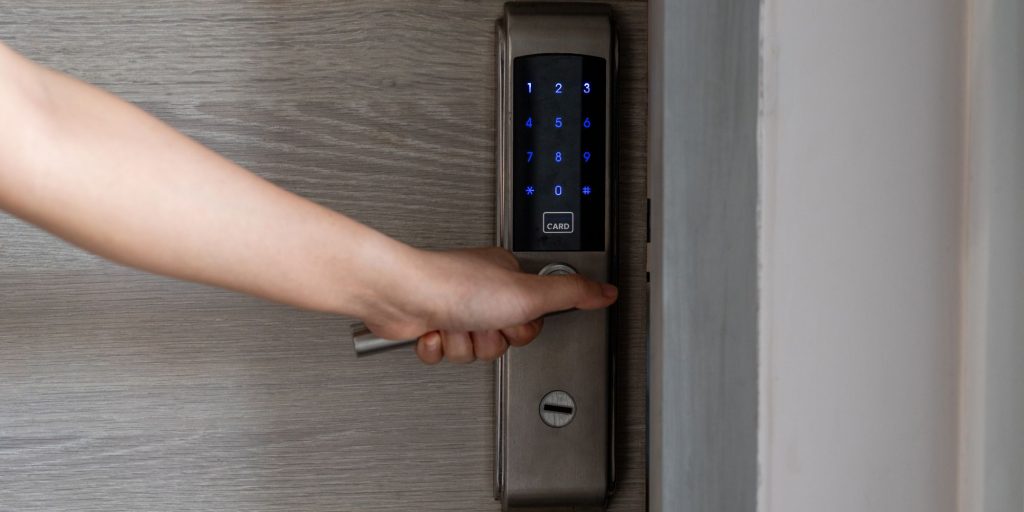
Credential Management: PINs can be set and changed on-site (standalone) or remotely (networked) depending on the system
Audit Capability: Many systems can log entry times per PIN (if user-specific codes are assigned)
Pros: No physical key needed; codes can be updated in case of employee or tenant changes
Cons: Users may share PINs, reducing accountability
3. RFID Cards or Fobs
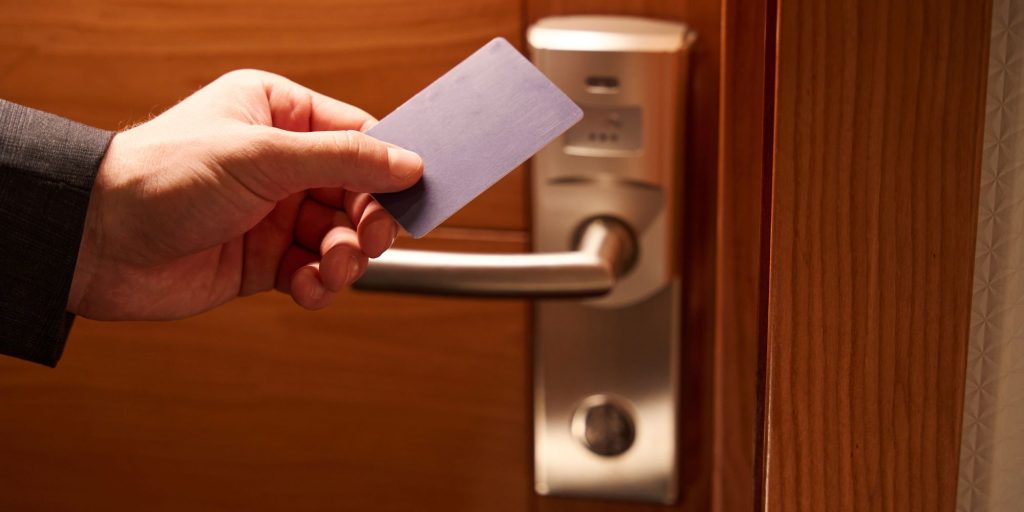
Credential Management: Cards/fobs are assigned to individuals and can be deactivated if lost
Audit Capability: Strong. Systems typically log entry by user ID and timestamp. Networked systems can be audited remotely.
Pros: Scalable for large user bases; easily deactivated if lost.
Cons: Cards/fobs can be lost or passed to others if not carefully managed.
4. Mobile App / Bluetooth (BLE) Entry
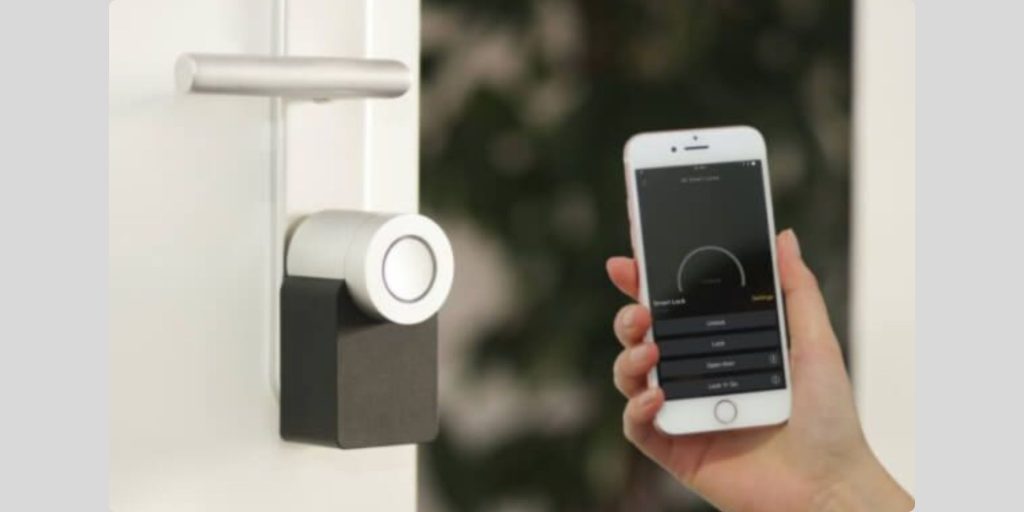
Credential Management: Cloud-based or app-based access allows real-time user management from anywhere
Audit Capability: Excellent. Tracks exact user access with detailed logs and timestamps
Pros: Highly secure; remote access control; some systems support two-factor authentication
Cons: Requires reliable internet and device compatibility; limited options for "Smart" software features that are built with Grade 1 hardware
Businesses with multiple users or remote locations often benefit most from smart or cloud-managed entry systems that offer comprehensive audit logs, remote credential assignment, and revocation.
Credential & Entry Method Summary Table
| Entry Method | Credential Type | Credential Management | Audit Capability | Best For |
|---|---|---|---|---|
| Physical Key | Metal key | Manual tracking / Restricted keyways optional | None | Offices, small businesses |
| PIN Code | User-assigned numeric code | On-site or remote code management | Moderate (if codes unique) | Employee-only access, storerooms |
| RFID Card/Fob | Contactless token | Assign/deactivate via access control system | Strong | Offices, clinics, warehouses |
| Mobile App / Bluetooth | Smartphone-based credentials | Remote cloud management | Excellent | Multi-location or modern facilities |
Can You Put a Smart Lock on a Commercial Door?
Yes, and many businesses are doing exactly that. Smart locks for commercial properties often come with advanced integrations—such as mobile app access, cloud-based control panels, and remote audit logs.
Smart lock benefits for businesses include:
- Eliminating lost key issues
- Managing employee access schedules
- Monitoring who accessed a door and when
- Integrating with alarms or camera systems
Make sure the smart lock you choose is commercial-grade and complies with fire and building codes in your area.
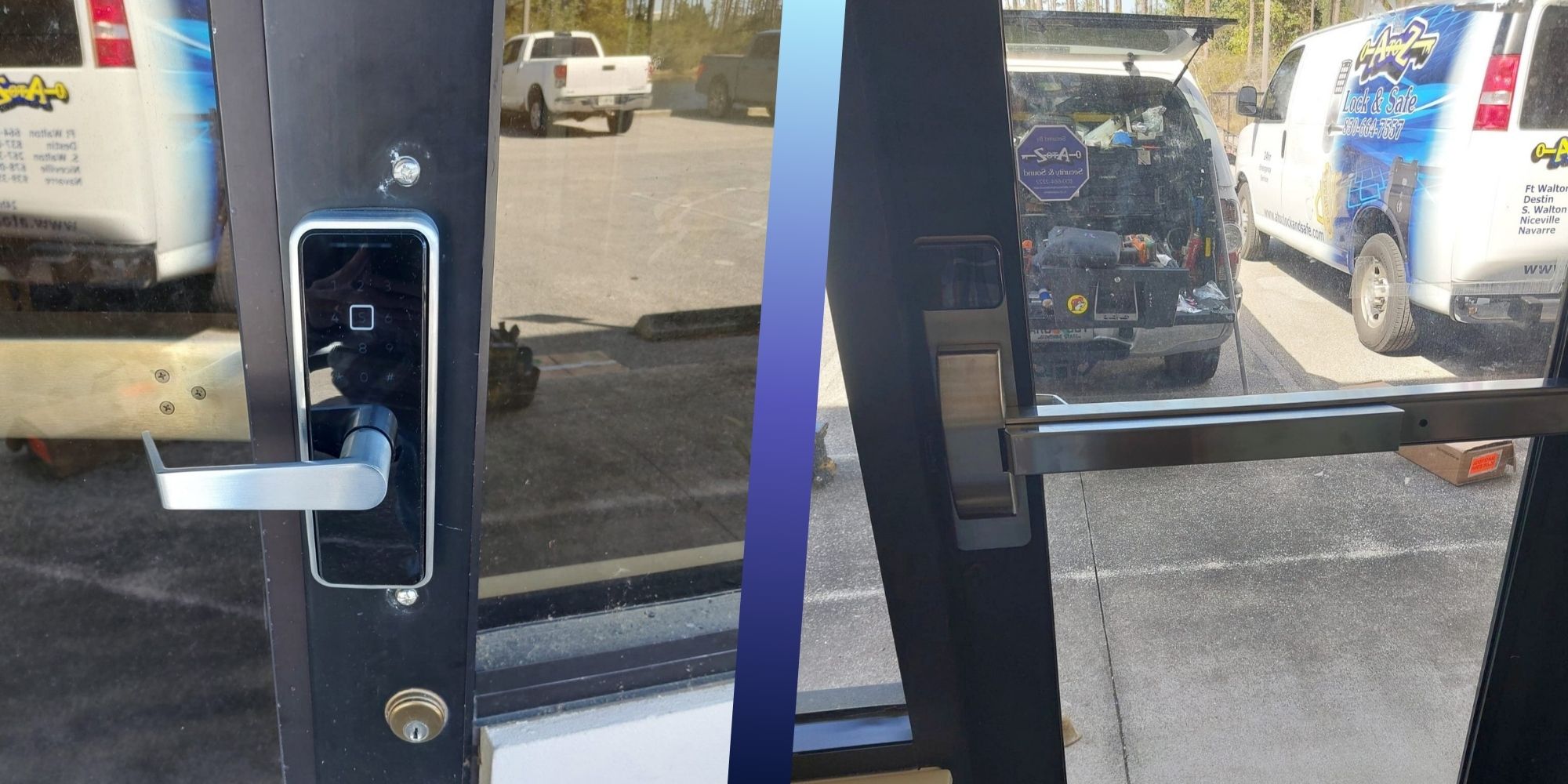
Check out a recent project we completed to install a Smart Lock on a Commercial Door in Panama City Beach! Commercial Smart Lock Case Study
Don't Overlook the Importance of Good Lock
No matter your business type, investing in the right door hardware is one of the smartest security decisions you can make. Weak or outdated locks make it easy for intruders, increase liability, and can even put lives at risk in the event of an emergency.
Whether you're outfitting a new commercial property or upgrading old lock systems, let a professional locksmith help you find the most secure, code-compliant, and cost-effective solution.
Need Help Choosing or Installing Commercial Door Locks?
At A to Z Lock & Safe, we've helped businesses across Pensacola, Gulf Breeze, Destin, Fort Walton Beach, and Panama City Beach choose and install the right commercial-grade locks for their properties. We work with:
- Retail stores
- Offices
- Warehouses
- Healthcare clinics
- Restaurants
- Schools
- Condominium Associations
- Hotels
From panic bars to access control systems, we handle everything from selection to professional installation.
Call us at (850) 664-7557 or contact us online to schedule a commercial security consultation.
Key Takeaways:
- There are many commercial door lock types—each suited for different applications
- Entry and credential management options vary from physical keys to cloud-managed systems
- Audit capabilities range from none (keys) to detailed logs (smart locks)
- The right lock choice depends on door type, security needs, and code requirements
- A to Z Lock & Safe offers expert advice and installation for businesses across Northwest Florida